Download Nibblify Partner
Manage your restaurant from your pocket. Accept orders, update menus, track analytics, and grow your business with our powerful mobile app.
Nibblify's apps and technical infrastructure are ready, while the commercial food-delivery service is preparing for launch in Le Mans.

Quick Download with QR Code
Scan with your phone's camera to download instantly
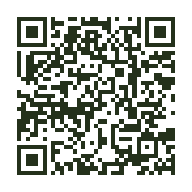
Android
Scan to open Google Play Store
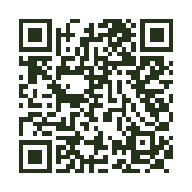
iOS
Scan to open the App Store
Built on Solid Foundations
Lightning Fast
Accept orders in seconds with instant push notifications
Easy to Use
Intuitive interface designed for busy restaurant owners
Secure & Reliable
Encryption at rest and in transit, with security controls designed to protect restaurant data.
Easy Installation Guide
Get started in just 3 simple steps
Download
Click the download button for your device
Install
Follow the on-screen instructions to install
Sign Up
Create your restaurant account and prepare your setup for launch.
Need Help?
Our support team is here to help you get started. Contact us for assistance with installation or setup.
Frequently Asked Questions
Is the app free to download?
Yes, the app is free to download. You'll need to choose a subscription plan (Starter, Growth, or Pro) to start accepting orders.
Do I need a smartphone to use Nibblify Partner?
Yes, you'll need an Android device (7.0+) or iOS device (15.0+) to use the mobile app.
Can I try the app before subscribing?
Restaurants can try Nibblify free for 90 days. No payment card is required to start, and no payment is taken automatically at the end of the trial: the restaurant chooses a paid plan if it wants to continue.
How do I switch between subscription plans?
You can upgrade or downgrade your plan anytime through your Apple or Google Play account settings. Changes take effect at the end of your current billing period.
What if I encounter issues during installation?
Contact us at partners@nibblifyfood.com or call +33 7 43 57 68 41. We're here to help!